Group ordering for restaurants
OneorderOne team
Let guests build one shared order without collecting lists and messages. A practical option for offices, teams and friends.
- Offices
- Teams
- Friends
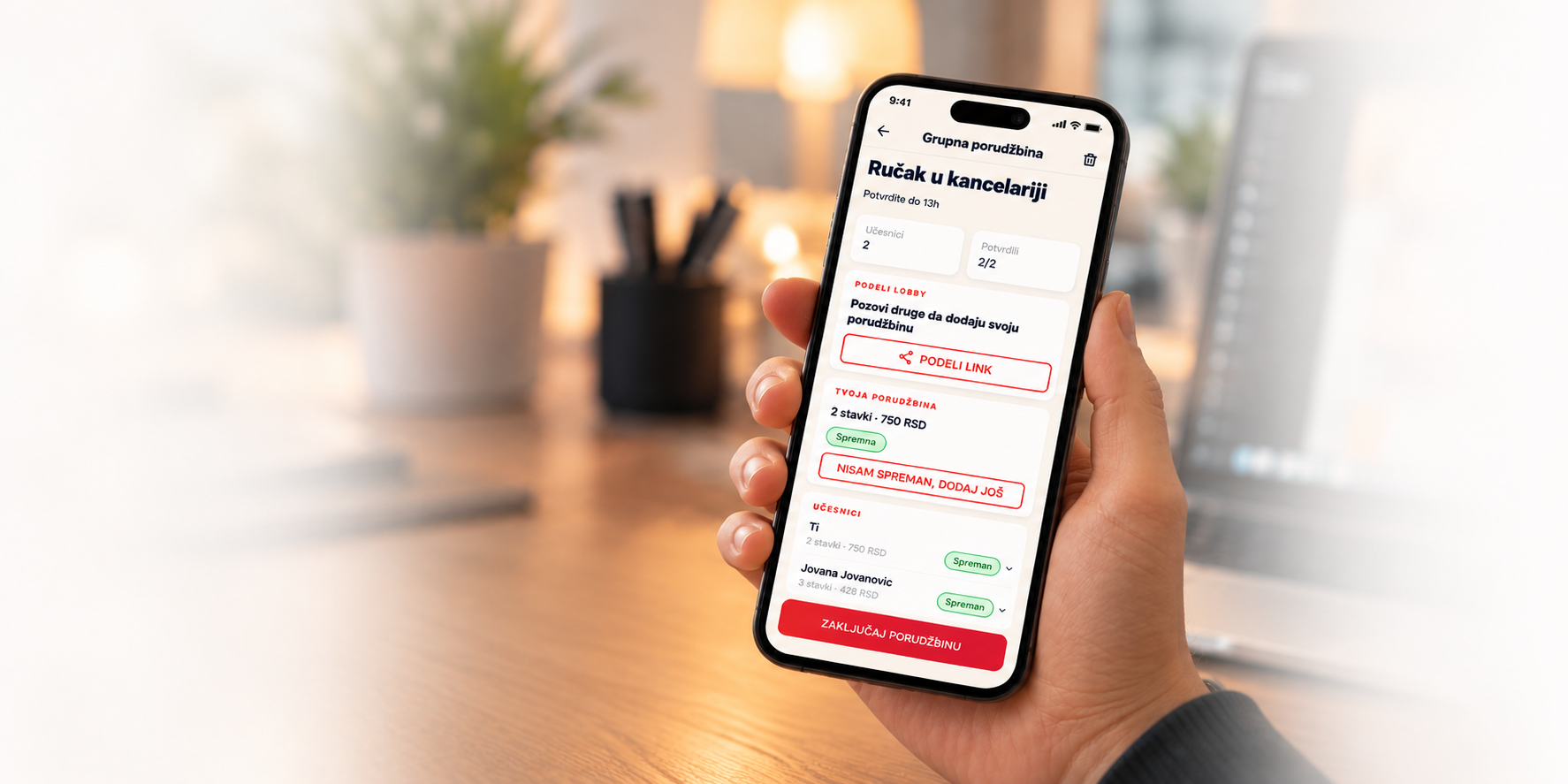
How it works
From an idea to service in 3 steps
One link connects everyone, and your team receives an organized order.
-
1
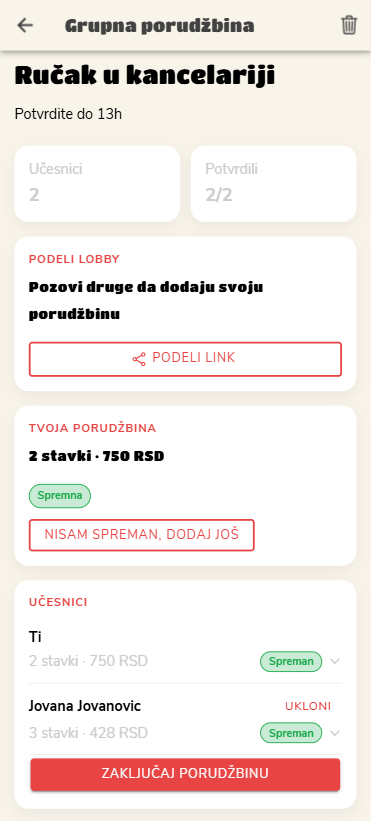
Create a group order and share the link
An organizer starts a shared order and sends an invitation link to the other participants.
- One link for everyone
- Participant overview
-
2
Guests add their items
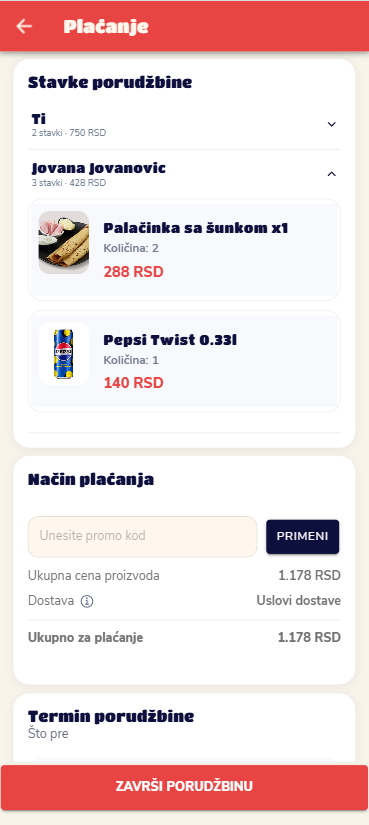
Everyone chooses from the same menu and adds their own items. The organizer then closes the shared order.
- Choose from your menu
- Clearly listed items
-
3
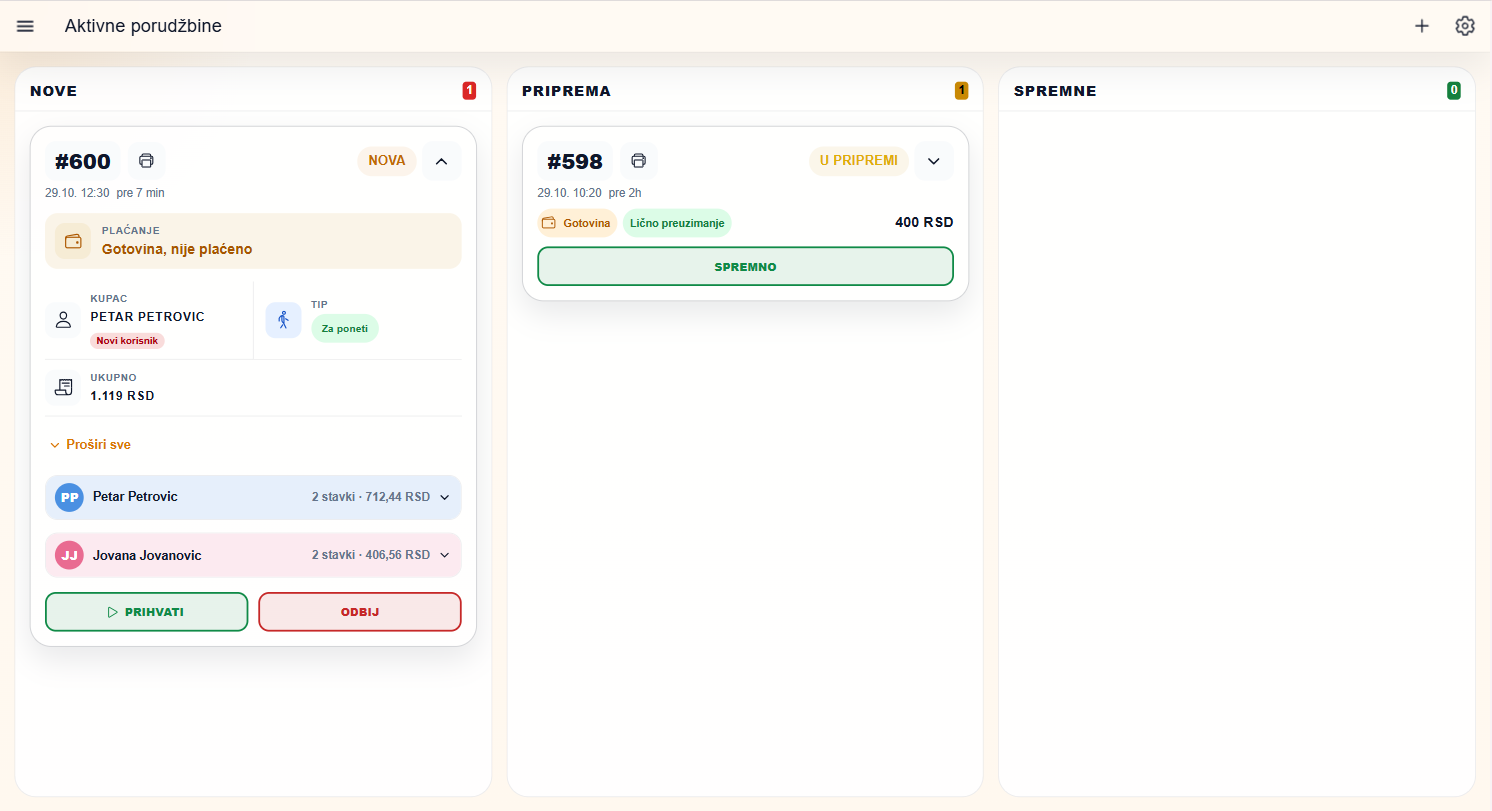
Your team receives one order
The combined order arrives in your system with each participant’s items, ready to process.
- All items in one view
- Simpler preparation
- Orders grouped by customer
Ready for your own digital channel?
Launch an app under your brand.
Show us how your restaurant works, and we will suggest the best experience for your guests.
FREQUENTLY ASKED QUESTIONS
Questions? We have answers.
How do I create a group order?
The organiser starts a group order and shares the link with the others. Once everyone has added what they want, the organiser sends one combined order to the restaurant.
Who can join a group order?
Anyone who receives the link can open it and add their items, without installing an app.
How is a group order paid for?
The organiser pays the full amount in one go, including delivery if a delivery fee applies.
How does the restaurant know who ordered what?
The restaurant receives one order with items grouped by participants’ names. This allows staff to pack each person’s order separately.